 MinaryHub

ScreenDeck
Multi-Monitor Live Preview & Window Controller · Free download for Windows
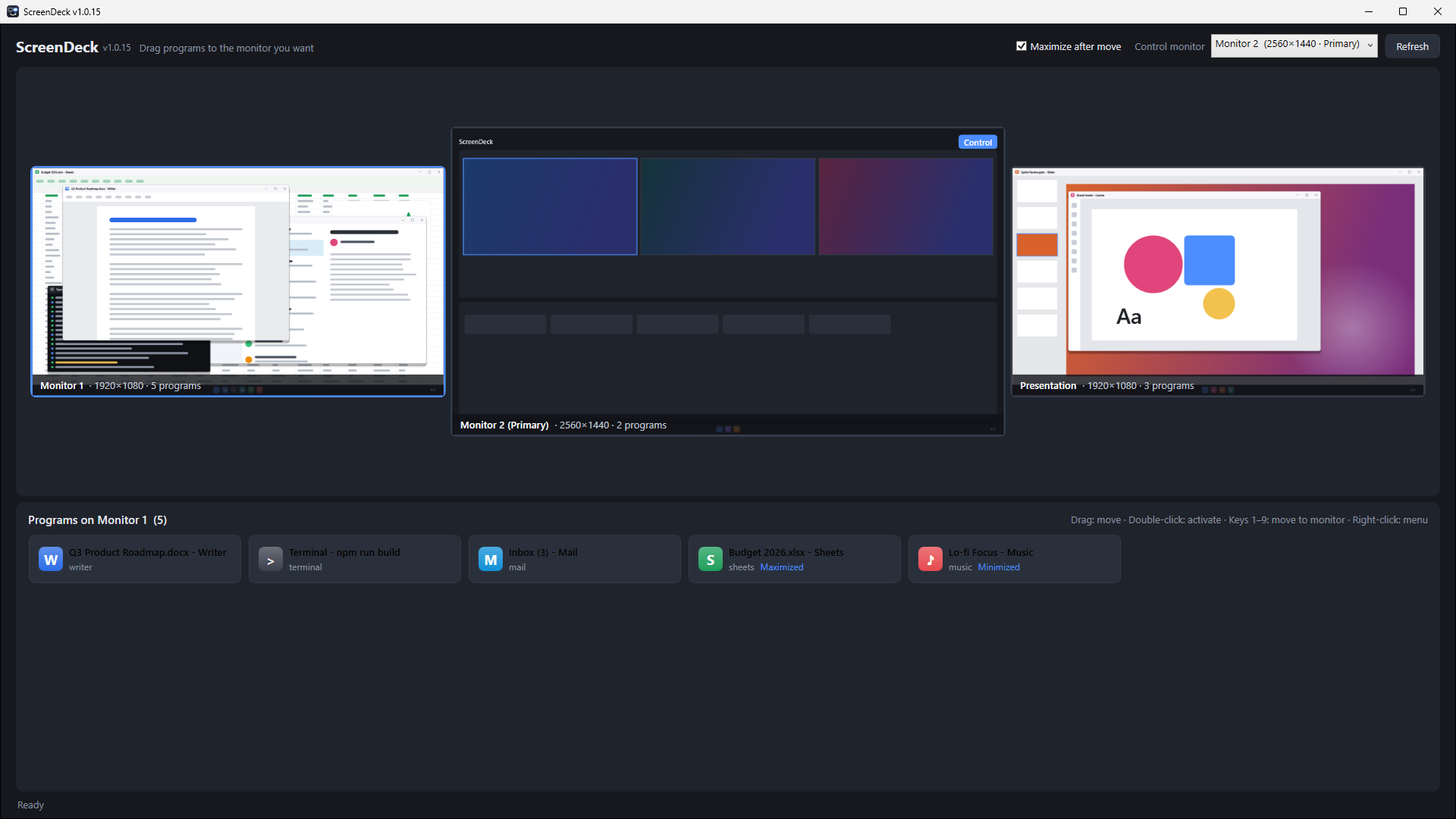
A Windows app for multi-monitor setups. Keep one screen as your control monitor, see every monitor live, drag programs between monitors, or work on another monitor from where you sit.
Latest release v1.0.20 · Nov 11, 2026 · Platforms: Windows · C#
Features
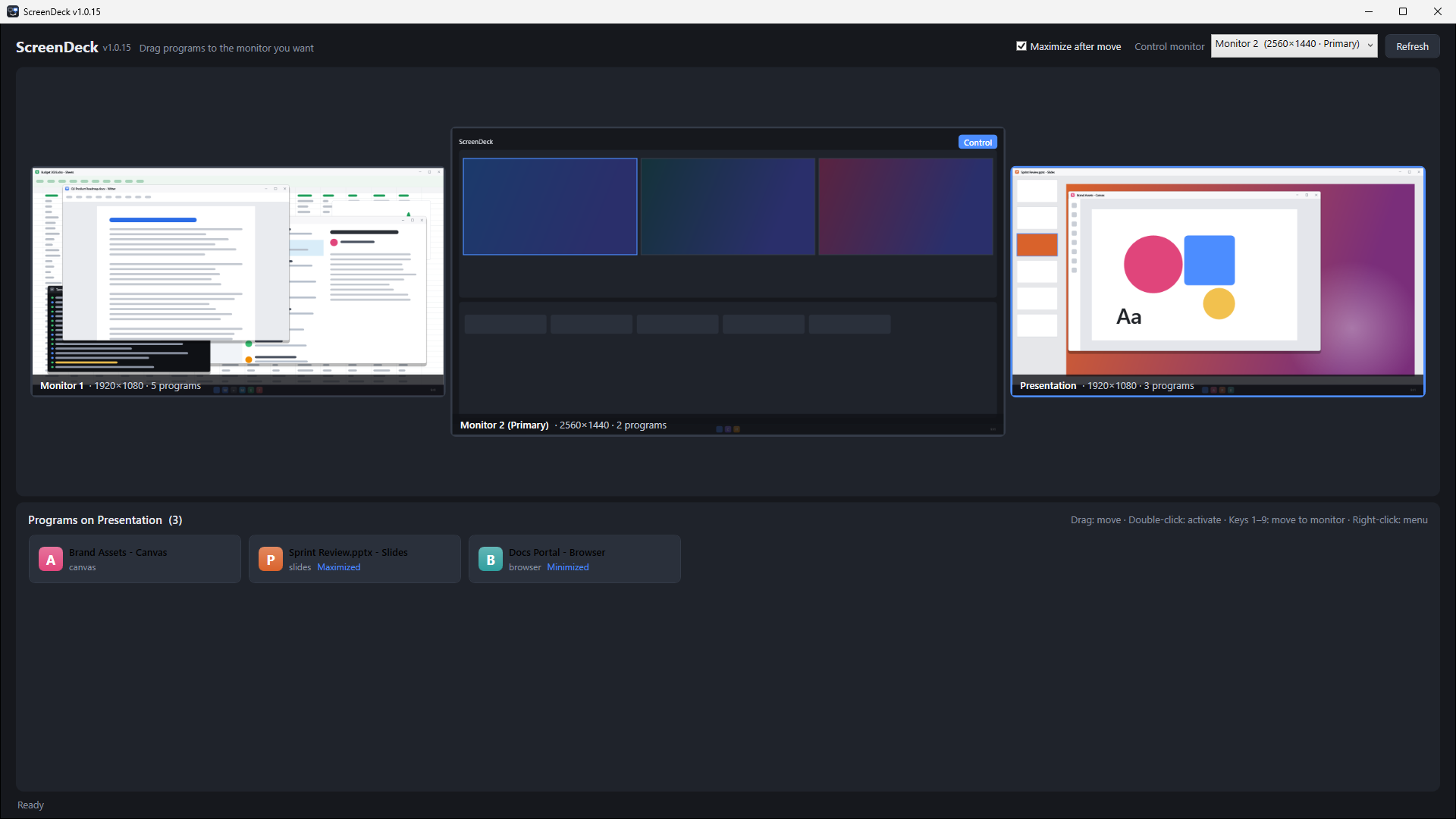
- See every monitor — Shows all monitors in their real arrangement, each with a live preview.
- Drag to move — Drag a program card onto another monitor's preview to move it there (maximized by default).
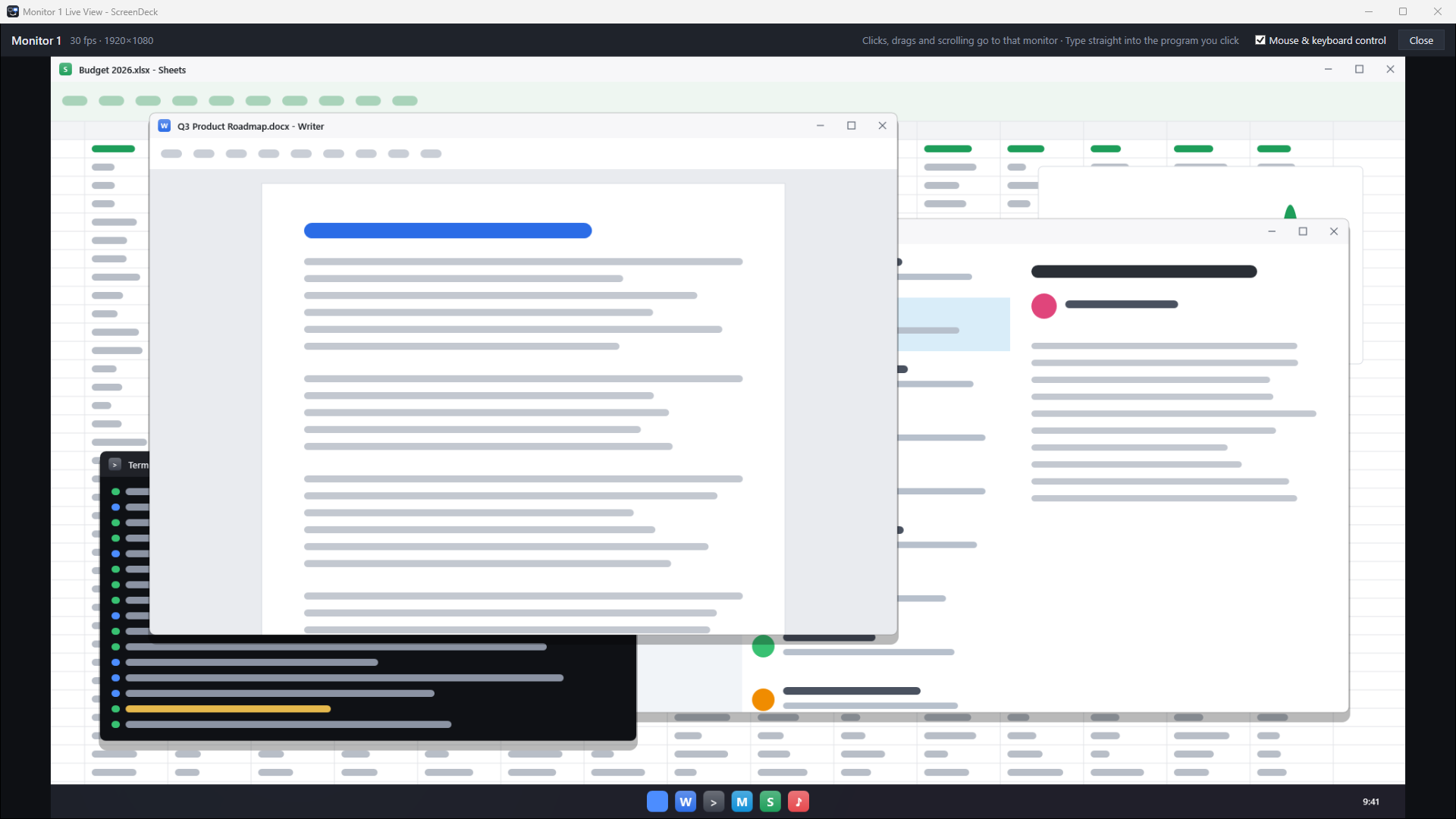
- Live view and control — Open another monitor enlarged on your control monitor; clicks, scrolling and typing go to it.
- Monitor names — Name each monitor; names are saved.
- Full-screen windows too — Borderless full-screen windows such as video players and games are moved to fill the target monitor.
- Quick keys — Press 1 to 9 to send the selected program to a monitor.
- Easy to try — An installer or a portable exe, plus a demo mode that touches nothing on your PC.
Screenshots
 ezBoard
 BangDB Manager
 Kerminal
 Kite-Writer
 KYNEX
 Grid Display
 Kreate
 BangDB
 DeskCue
 HanEng
 Curvo
 NetworkScanner
 MarineGlobe 3D
 Mobile Traffic Map
 OrbitPulse 3D
 Do Not Disturb
 Dotty